
Knowledge Base · Billing & Payments
How Hosting Billing Works — Monthly vs Yearly, Renewals and Due Dates
Every AutoHost service has a billing cycle, a due date and a renewal invoice. Knowing how they fit together means your website and email never go offline because of a missed payment.
Billing cycles and prices
Shared hosting is billed monthly or yearly. Yearly plans cost less overall, and yearly Business, Corporate and Enterprise plans include a free .co.ke domain for the first year.
| Plan | Yearly | Monthly | Storage |
|---|---|---|---|
| Starter | KES 1,699/yr | KES 169/mo | 35 GB |
| Business | KES 3,999/yr | KES 399/mo | 60 GB |
| Corporate | KES 5,999/yr | KES 599/mo | 150 GB |
| Enterprise | KES 7,999/yr | KES 799/mo | 250 GB |
Prices exclude 16% VAT, which is added on the invoice. Domains are billed separately on their own yearly cycle (a .co.ke from KES 1,199/yr), except the free domain included with a yearly Business, Corporate or Enterprise plan in its first year.
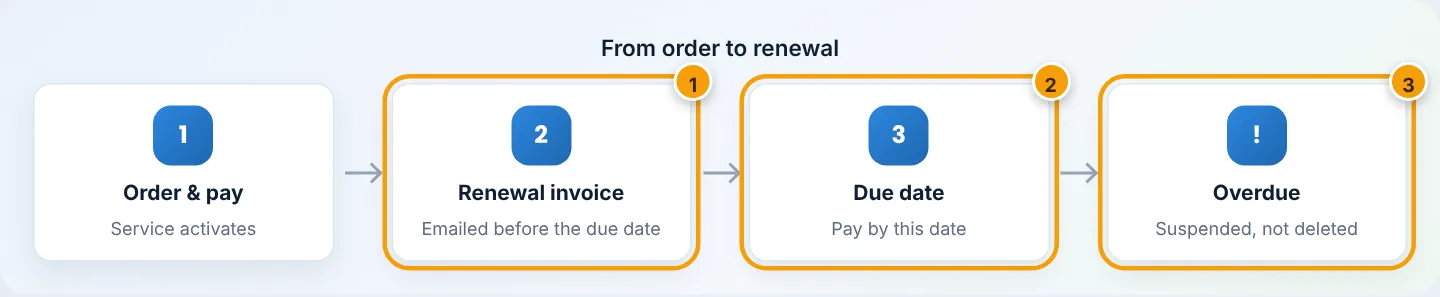
The lifecycle of a service
The due date
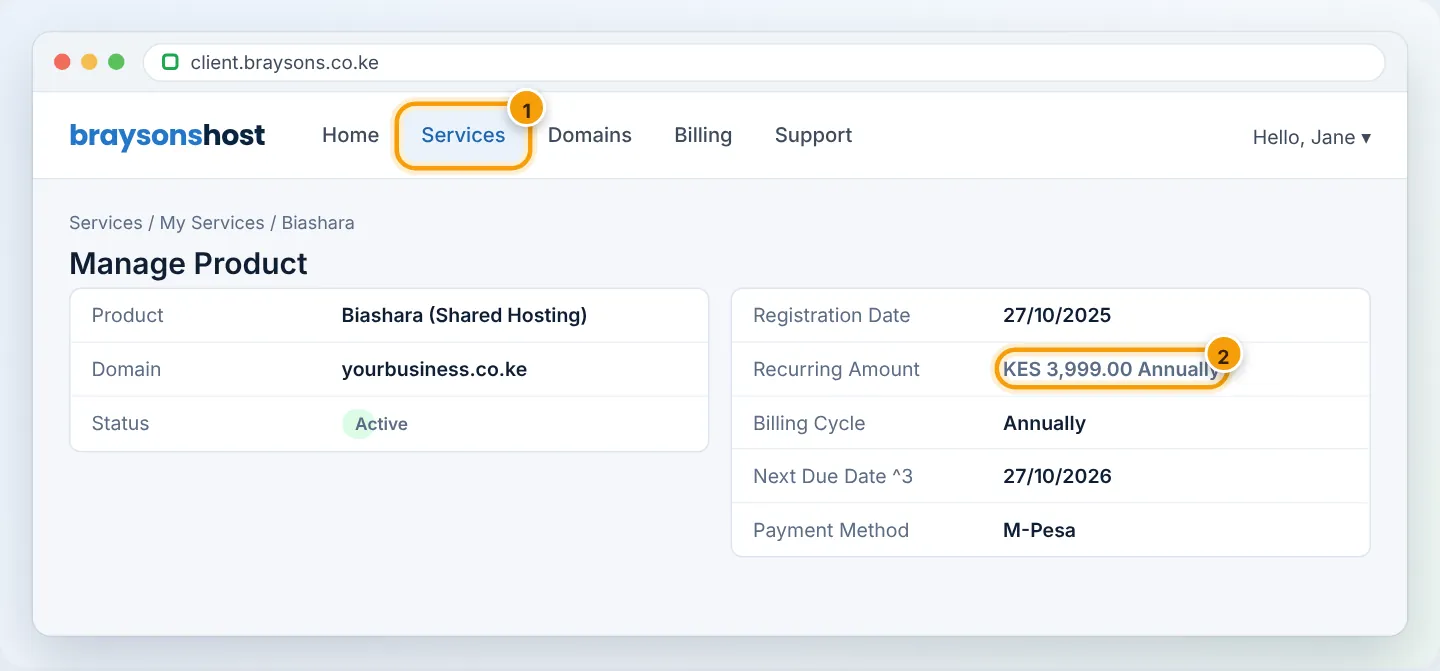
Your Next Due Date is the day the next period starts. You will find it under Services → My Services → (your plan). It stays the same each cycle — a yearly plan ordered on 27 October renews every 27 October.
Renewal invoices
The system creates the renewal invoice ahead of the due date and emails it to your account’s email address. We also send a WhatsApp reminder before your renewal date. If you have auto-pay set up with a saved card, the invoice is charged automatically.
If a payment is missed
- The service is suspended — the website shows a suspension page and email stops — but nothing is deleted. Pay the invoice and the service is unsuspended automatically, usually within minutes.
- Monthly plans are kept suspended for 7 days before any further action is taken.
- If an account is terminated, data is retained for 30 days — contact us immediately if this happens.
Domains work differently. An unpaid domain expires at its expiry date, and your website and email stop working even if hosting is paid. See Renew your domain.
How to never miss a payment
- Keep your email address current — invoices go there. See Update your account details.
- Save a payment method for auto-pay — see Add a payment method.
- Turn on Auto Renew for domains (Domains → My Domains → Manage → Auto Renew).
- Add a billing contact (Account → Contacts) so a colleague or accountant also receives invoices.
- Choose yearly billing — one payment a year, and a free .co.ke on Business and up.
Changing your billing cycle
Want to switch from monthly to yearly (or the other way)? Open a Billing ticket before your next due date, and we will adjust the cycle so the next invoice reflects the new period. Plan changes are covered in Upgrade or downgrade.
Frequently asked questions
Why is my invoice higher than the plan price?
Plan prices exclude 16% VAT. Example: Business yearly KES 3,999 + VAT 639.84 = KES 4,638.84.
Does my free domain stay free?
The free .co.ke is included for the first year of a yearly Business, Corporate or Enterprise plan; after that it renews at the normal domain price.
Can I pay early?
Yes — pay the renewal invoice as soon as it appears. Your due date does not move; the next period simply starts on the usual date.
What about the free plan?
The free plan has no invoices. Upgrade to a paid plan when you need more resources or backups.
Figures are simplified illustrations. Your screen may look slightly different depending on your theme and the version of cPanel or the app you use.
Still need help?
Our Kenyan support team is on WhatsApp — real people, not bots. Mon–Sat, 8am–10pm EAT. Tickets are open 24/7.