
Knowledge Base · Domain Management
How to Renew Your Domain (and Never Lose It)
An expired domain takes your website and email offline — and if it is not renewed in time, someone else can register it. Renewing takes two minutes and you can do it years in advance.
Step 1: Check when your domain expires
- Log in at portal.autohost.co.ke.
- Click Domains → My Domains. The Next Due Date column shows each domain’s expiry.
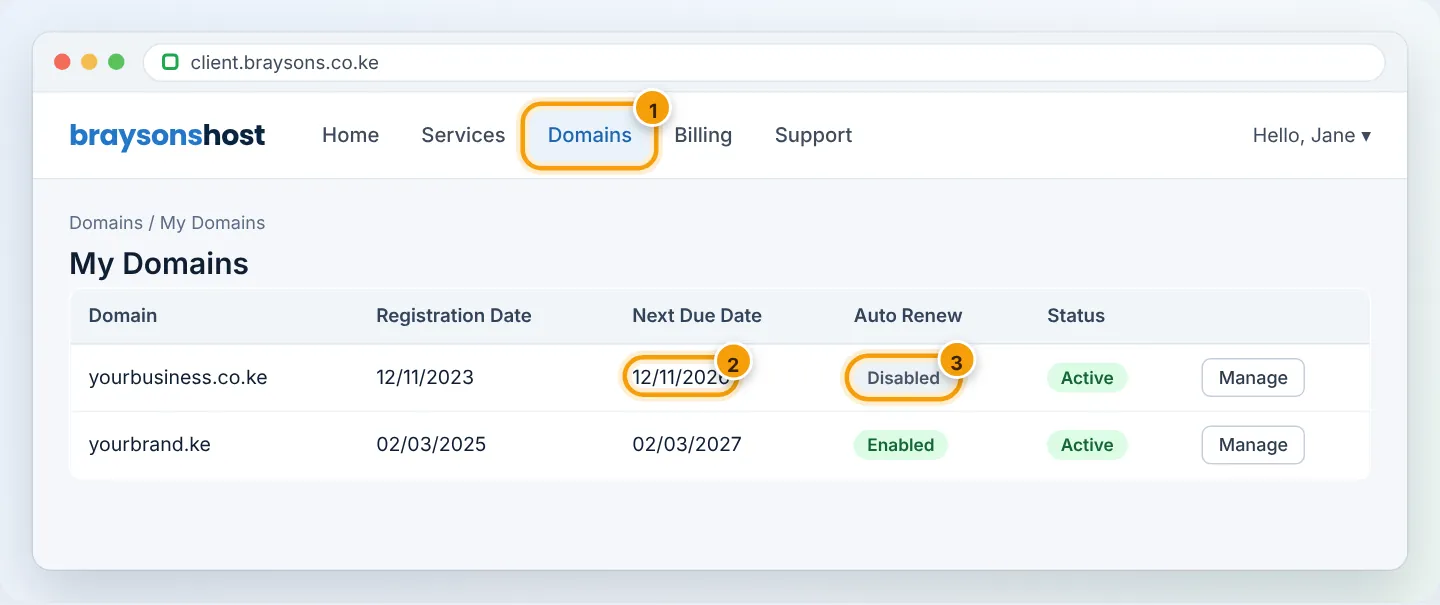
You also receive reminder emails and WhatsApp messages before the domain expires — make sure your contact details are current.
Step 2: Renew
- In My Domains, tick the domain and choose Renew (or click Manage → Renew). You can also go to Domains → Renew Domains to see everything due soon.
- Choose the period — 1 year or more. Longer periods mean fewer renewals and protect the name for longer.
- Click Add to Cart → Checkout, then pay with M-Pesa or card.
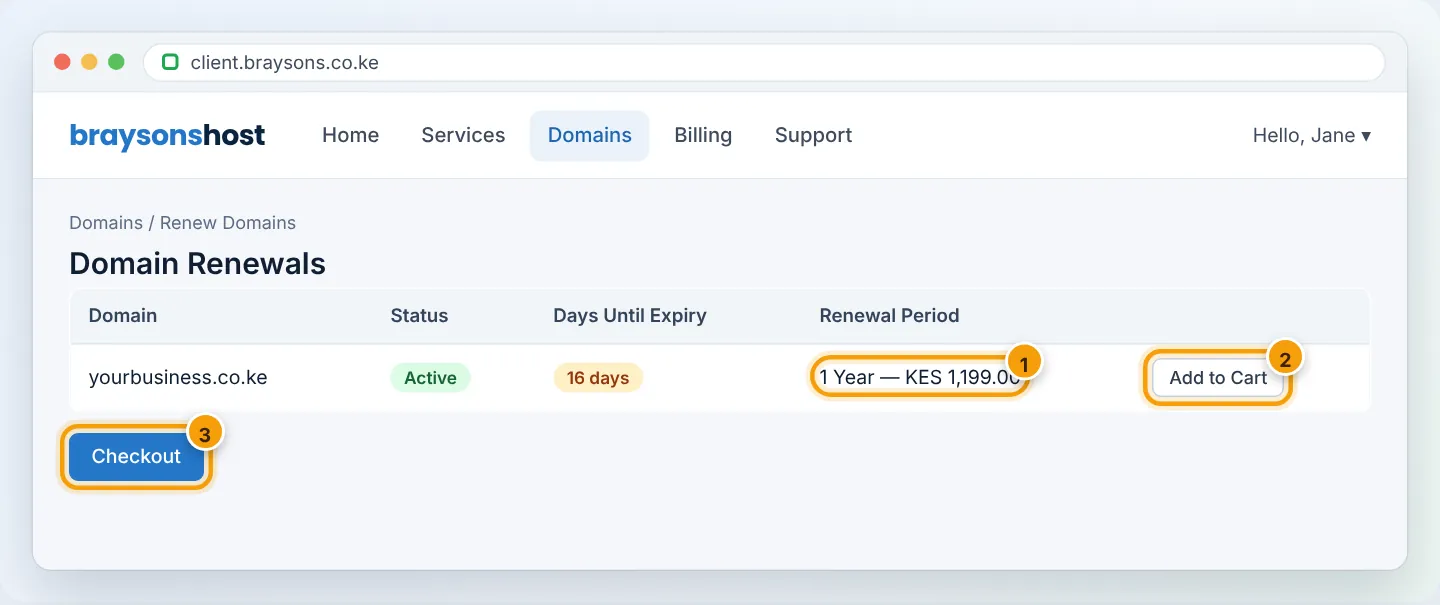
The new expiry date appears immediately in the client area. For .ke domains, the KeNIC WHOIS shows it within about a day.
Paying by M-Pesa? Use the STK prompt from the invoice page for instant confirmation — see Pay your invoice with M-Pesa.
Step 3: Turn on Auto Renew
Auto Renew creates the renewal invoice automatically and charges your saved payment method (card or M-Pesa where supported), so you cannot forget.
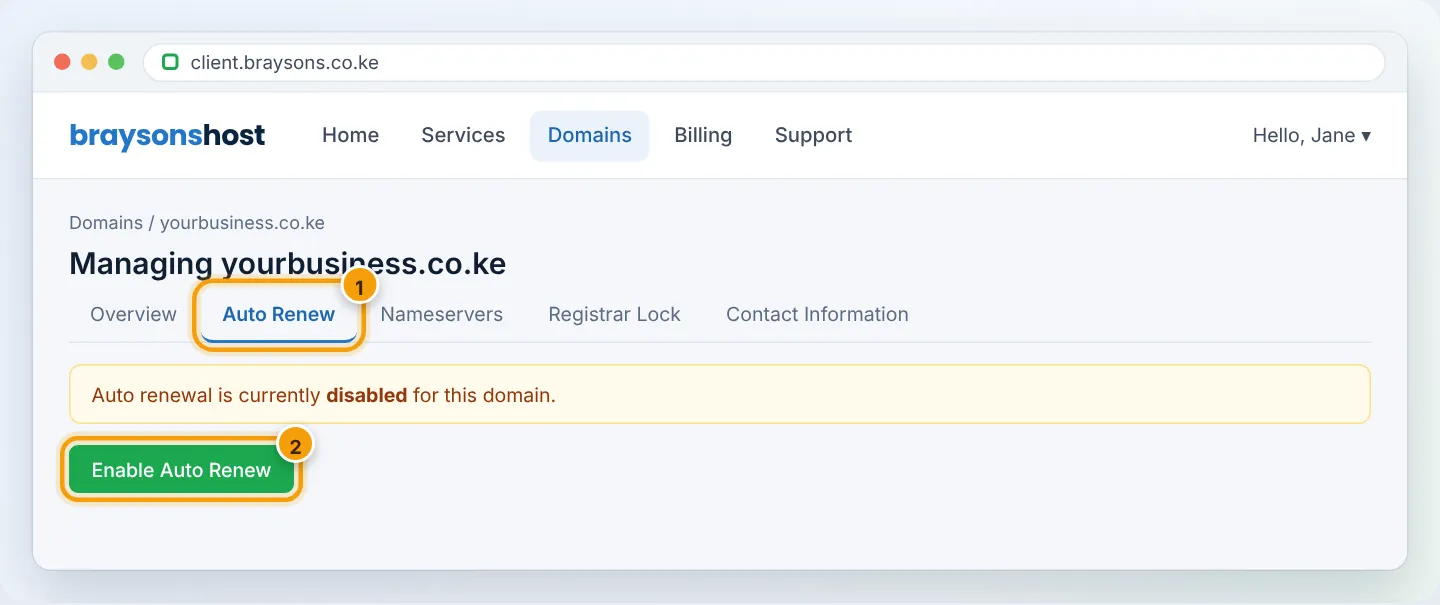
- Domains → My Domains → Manage → Auto Renew tab.
- Click Enable Auto Renew.
- Save a payment method — see Add a payment method.
What happens if a domain expires?
The exact timeline depends on the extension and registry, but it always follows this pattern:
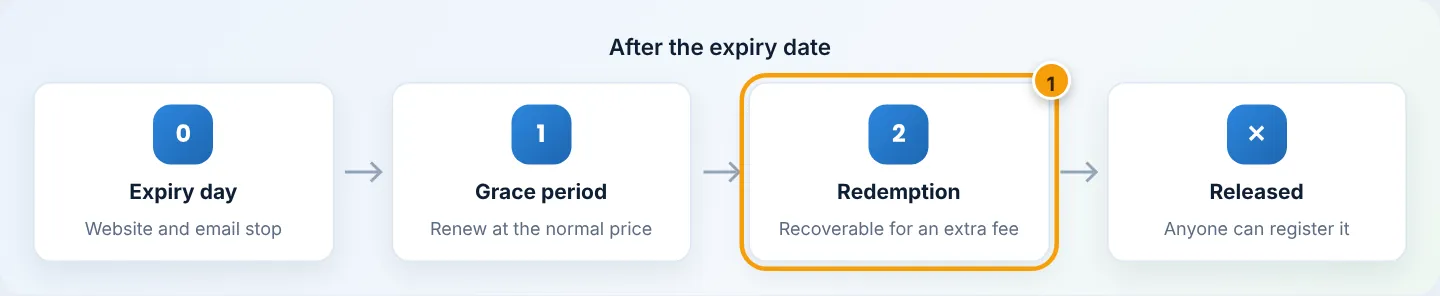
- Expiry day: the domain stops resolving — the website goes offline and email bounces.
- Grace period: you can usually still renew at the normal price. Act immediately.
- Redemption period: the domain can often be recovered, but the registry charges an extra redemption fee.
- Release: the domain becomes available to the public — including competitors and “domain squatters” who resell names at high prices.
If your domain has expired, WhatsApp us right away on +254 104 666 000 — we will tell you exactly which stage it is in and the cost to restore it.
Hosting vs domain — two separate renewals
Your hosting plan and your domain are billed separately and can have different dates. The free .co.ke with a yearly Business, Corporate or Enterprise plan is included for the first year; after that the domain renews at its normal price unless stated otherwise on your invoice. Check both in Services → My Services and Domains → My Domains.
Troubleshooting
| Problem | Cause | Fix |
|---|---|---|
| Paid but domain still shows expiry soon | Invoice not yet marked paid | Refresh after 5 minutes; for Paybill payments send us the M-Pesa SMS |
| Website offline after renewing | Domain had passed expiry; DNS restarting | Usually back within a few hours; flush DNS — see Website not loading |
| “Domain not eligible for renewal” | Domain is in redemption or registered elsewhere | Contact support |
| Got a renewal letter from another company | Scam/marketing from a third party | Ignore it — only pay AutoHost invoices |
Frequently asked questions
Can I renew for 5 or 10 years?
Most extensions allow multi-year renewals up to 10 years in total. The options available are shown in the renewal dropdown.
Does renewing early lose the remaining time?
No — the new period is added on top of the current expiry date.
Figures are simplified illustrations. Your screen may look slightly different depending on your theme and the version of cPanel or the app you use.
Still need help?
Our Kenyan support team is on WhatsApp — real people, not bots. Mon–Sat, 8am–10pm EAT. Tickets are open 24/7.