
Knowledge Base · Troubleshooting
How to Fix “Too Many Redirects” (ERR_TOO_MANY_REDIRECTS)
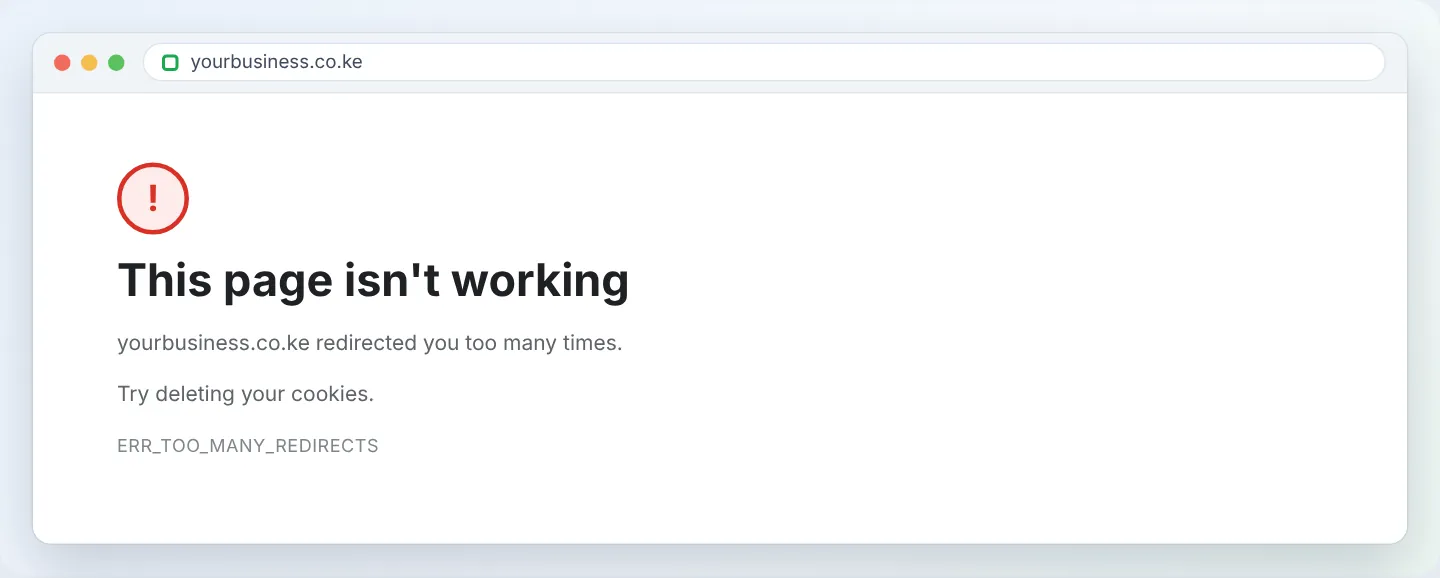
“This page isn't working — yourbusiness.co.ke redirected you too many times” means two rules are sending visitors back and forth forever. It is almost always an HTTPS or www setting applied in two places. Find the duplicate and remove one.

Step 1: Rule out your browser
Open the site in a private/incognito window or another browser. Still looping? The problem is on the site. Fixed? Clear cookies for the domain in your normal browser (padlock icon → Cookies and site data → Manage → delete).
Step 2: See the chain (optional but quick)
Paste your URL into httpstatus.io or redirect-checker.org. You will see each hop. For example http → https → http → https… points to an HTTPS conflict; www → non-www → www… points to a www conflict.
Step 3: Cloudflare users — check SSL mode first
If your domain uses Cloudflare, this is the #1 cause.
- Cloudflare dashboard → your domain → SSL/TLS → Overview.
- Change Flexible to Full (strict).
- Wait a minute and reload.
Flexible makes Cloudflare talk to our server over HTTP while our server forces HTTPS — an instant loop.
Step 4: Use only one HTTPS redirect
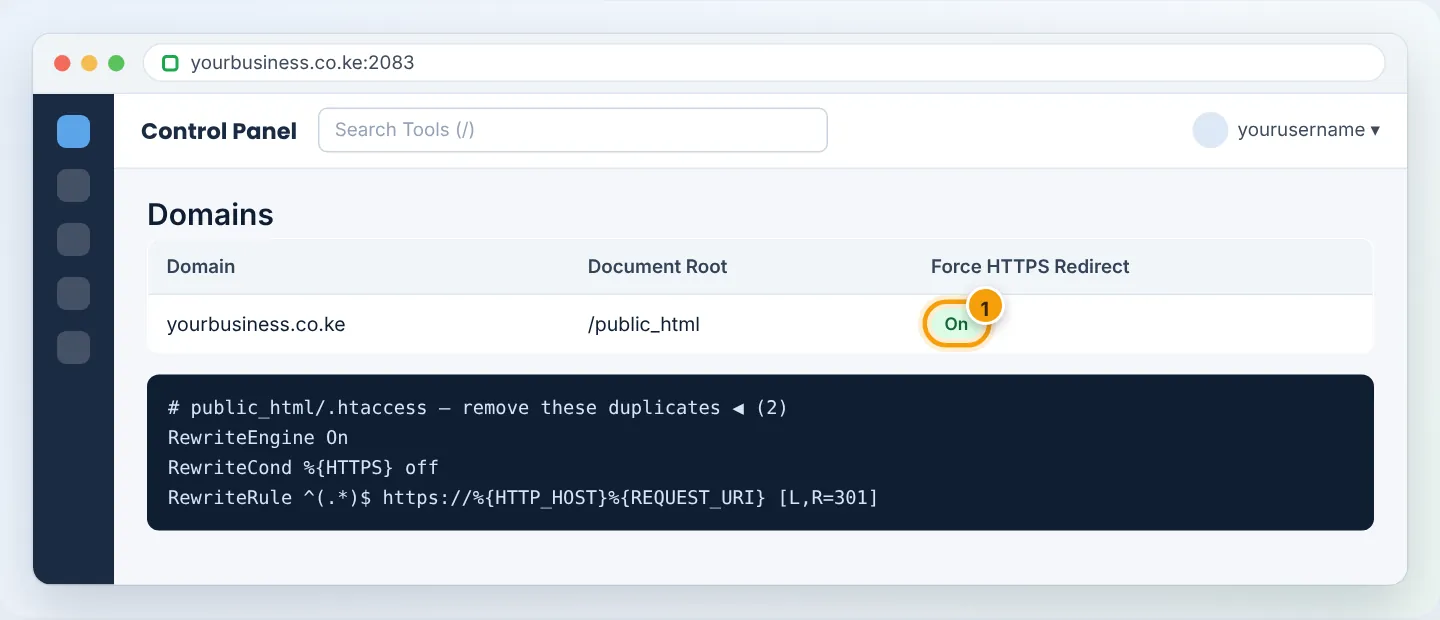
HTTPS can be forced in three places. Keep one:
| Place | Where to check |
|---|---|
| cPanel Force HTTPS Redirect | Domains → Domains → toggle column |
.htaccess rules |
File Manager → public_html/.htaccess → look for RewriteCond %{HTTPS} |
| WordPress plugin | Really Simple SSL, SSL Insecure Content Fixer, security plugins |
Recommended: keep cPanel’s Force HTTPS Redirect on, remove HTTPS lines from .htaccess, and turn off the plugin’s redirect option.
Step 5: WordPress — check the two site addresses
- Settings → General: WordPress Address and Site Address must both be exactly the same and start with
https://— and use the same www/non-www choice (https://yourbusiness.co.keorhttps://www.yourbusiness.co.ke, not one of each). - If you cannot log in because of the loop, set them in
wp-config.php(above That’s all, stop editing!):
define( 'WP_HOME', 'https://yourbusiness.co.ke' );
define( 'WP_SITEURL', 'https://yourbusiness.co.ke' );
- Or fix them in phpMyAdmin → your database →
wp_optionstable → editsiteurlandhome.
Step 6: Check www vs non-www rules
A loop also happens when one rule sends www → non-www and another (WordPress setting, cPanel redirect or plugin) sends non-www → www. Pick one version of your address and make every setting agree. Check Domains → Redirects for old redirects too.
Step 7: Clear caches
Purge your caching plugin (LiteSpeed Cache → Purge All), Cloudflare (Caching → Purge Everything) and then test in a private window.
Troubleshooting summary
| Chain looks like | Cause | Fix |
|---|---|---|
| http ↔ https | Cloudflare Flexible, or duplicate HTTPS rules | Full (strict); keep one HTTPS method |
| www ↔ non-www | Conflicting www preferences | Make WordPress, redirects and .htaccess agree |
| /wp-admin ↔ /wp-login.php | Plugin conflict or wrong cookie domain | Disable security/SSL plugins by renaming their folders |
| Loop only when logged in | Caching plugin serving cached redirect | Purge cache; exclude logged-in users from cache |
Still looping? WhatsApp +254 104 666 000 with your domain — we will trace the redirect chain for you.
Figures are simplified illustrations. Your screen may look slightly different depending on your theme and the version of cPanel or the app you use.
Still need help?
Our Kenyan support team is on WhatsApp — real people, not bots. Mon–Sat, 8am–10pm EAT. Tickets are open 24/7.